Project integration (community_meetings_project)
Optional addon connecting meeting follow-ups to Odoo Project tasks.
Requires project and community_meetings.
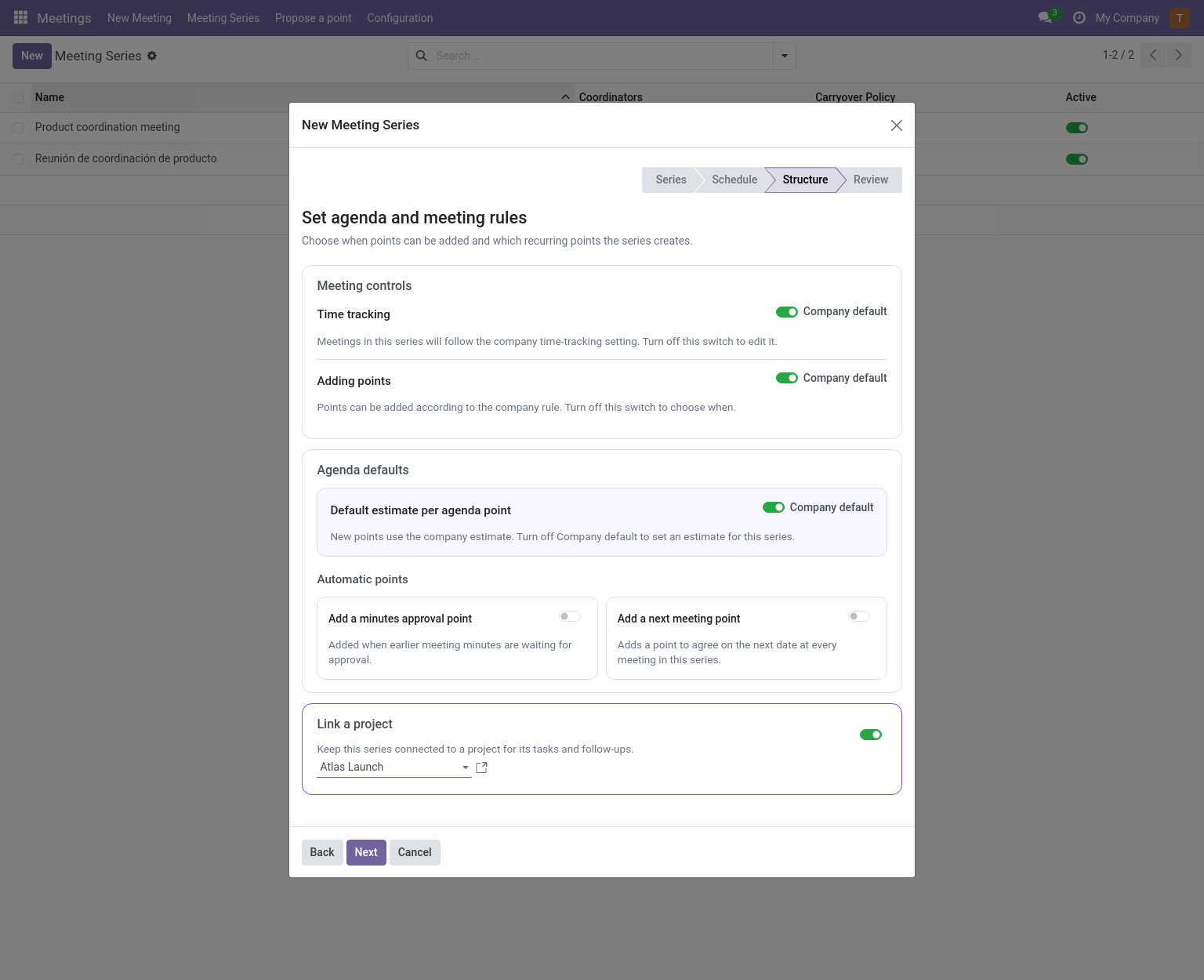
Linking a project when creating a series
When the Project addon is installed, the Structure step of the New Meeting Series wizard includes a Link a project switch. Turn it on to choose an existing project or create one for the series. The choice is shown again during review and becomes the series’ project for tasks and follow-ups. The switch is off by default; leaving it off keeps the series unlinked.
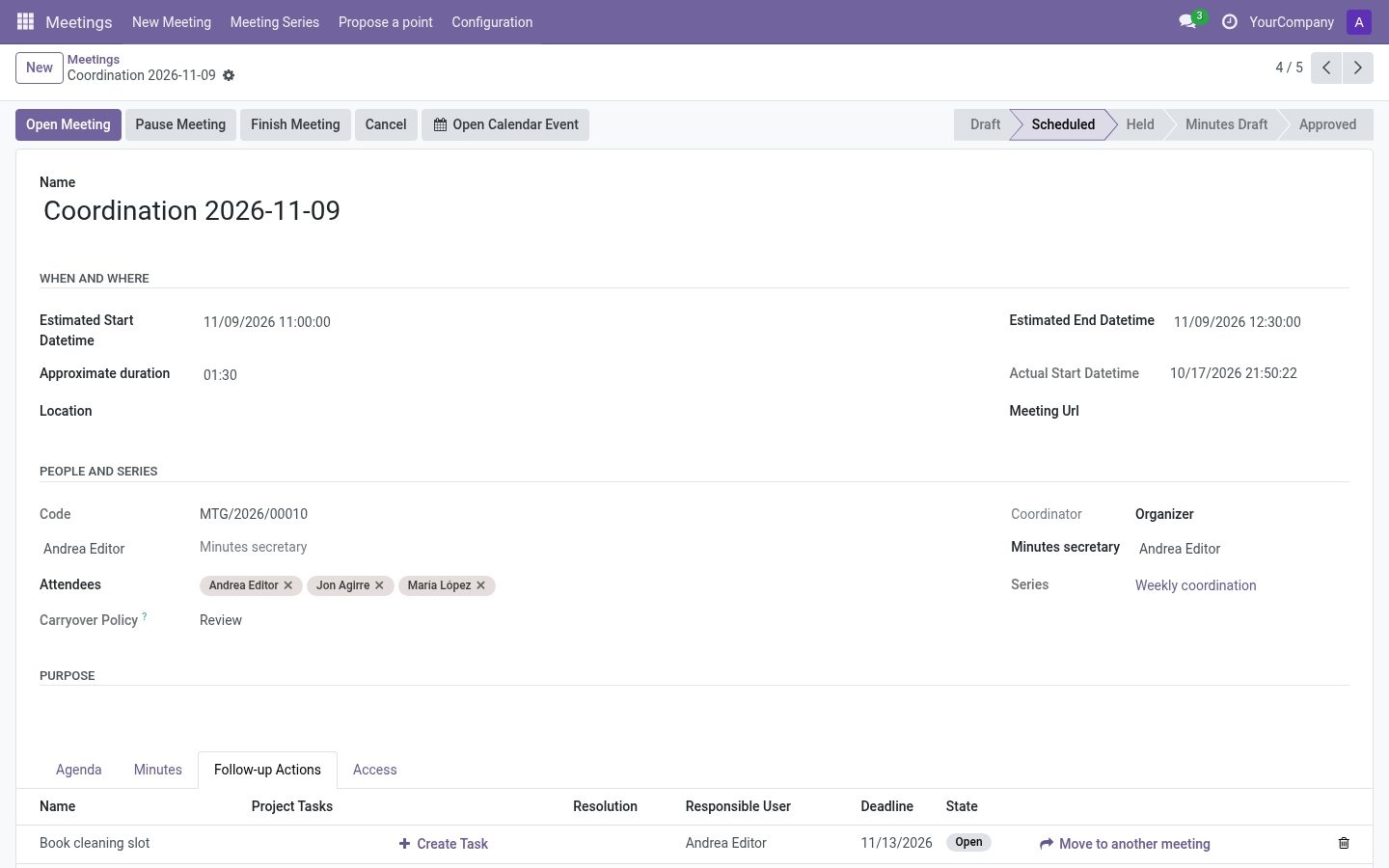
Creating a task from a follow-up
On any follow-up action (live meeting card, meeting form tab, or the follow-up’s own form) press Create Task:
- Choose link an existing task or create a new one.
- For a new task: pick the project (pre-filled by policy, see below) and name.
- Create and Link — the task appears as a tag on the follow-up/agenda line.
Requirements: Project task creation rights; the task must belong to a company-compatible project. An existing task is linked, never duplicated.
Task policy
Two levels configure how TODO points treat tasks — company settings (Settings → Meetings → Project task policy) and the series Follow-up and Task Policy page:
| Setting | Options |
|---|---|
| Project for tasks | No default project · one company project · one project per series (created on first use). |
| Evidence to resolve a TODO | Core follow-up only · core follow-up or linked task · linked task required. |
| Task selection scope | Any accessible project · only the configured project. |
Note: By default installing the addon changes nothing: assigned core follow-ups keep being sufficient evidence for TODOs.
Rules that protect history
- Task details are not part of approved minute snapshots — later task changes never rewrite historical minutes.
- Closure records the policy in force at that moment; later policy changes affect only future resolutions.
- While a resolved TODO depends on a task, removing the task or moving it out of scope is rejected.
Finding meeting links from a task
A Project task shows a Meeting Agenda Links button listing the agenda items, resolutions and follow-ups linked to it — filtered by the current user’s access.
Carryovers with tasks
The carryover wizard lets editors explicitly select linked project tasks to continue in the destination meeting — see Carryovers.