Catalogs (manager)
Small reference lists that feed dropdowns all over the app. Location: Meetings → Configuration. All lists support drag ordering and archiving (archived items stay readable in old records but disappear from new ones).
Meeting kinds
Configuration → Meeting Kinds
A short classification for series and meetings (e.g. Operational, Board, Assembly). The code is fixed once used. One kind is required per series and per meeting; standalone meetings default to Operational.
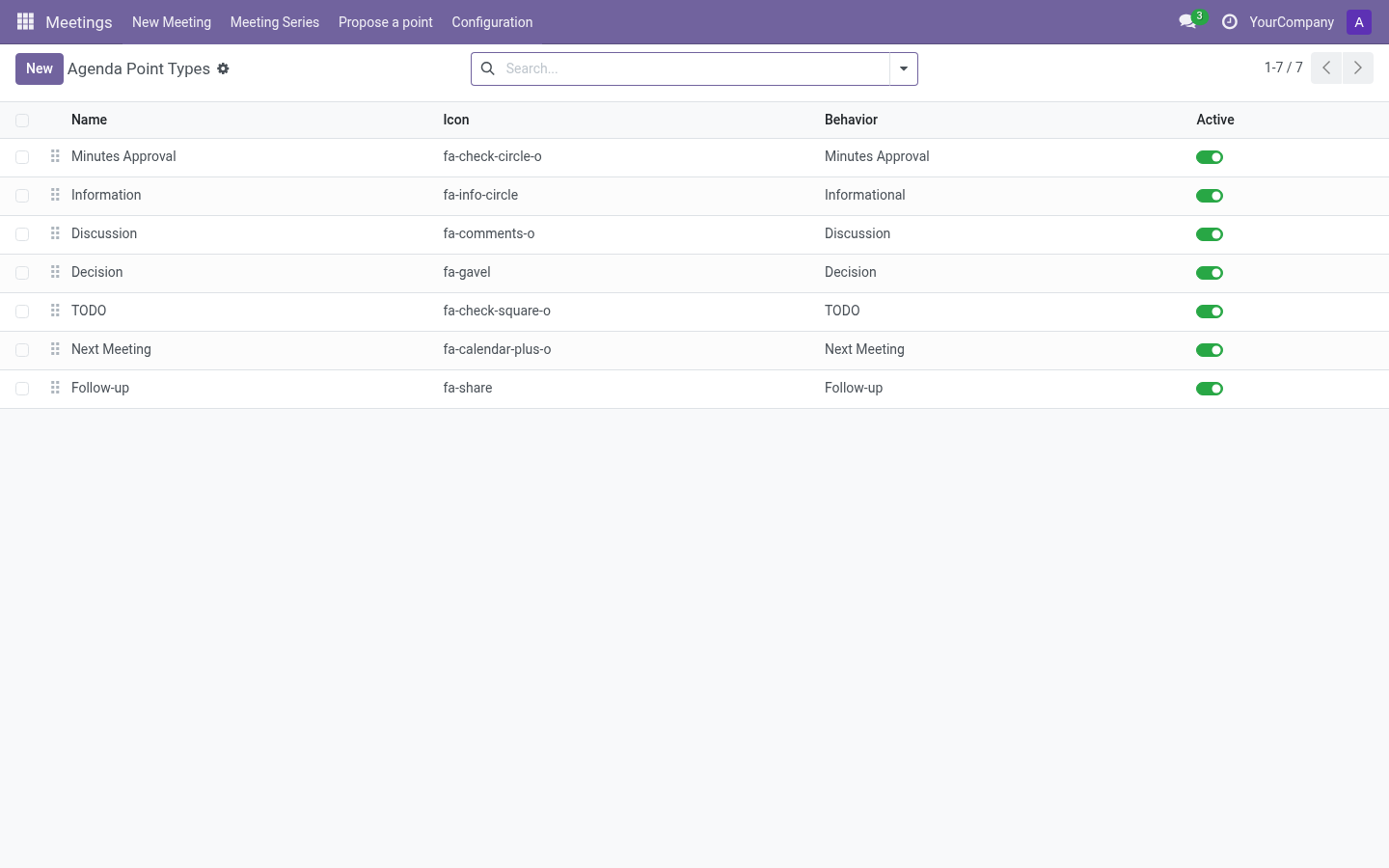
Agenda point types
Configuration → Agenda Point Types
The behavior of a point type decides how it is treated in the live meeting:
| Behavior | Live behavior |
|---|---|
| Information | Discussed → done. No agreements needed. |
| Discussion | Can be closed as resolved or postponed. |
| Decision | Requires an agreement (approved/rejected) before it can be completed. |
| To-do (TODO) | Requires an assigned follow-up with evidence before it can be resolved. |
| Minutes approval | Lists previous meetings pending approval; structural. |
| Next meeting | Sets the next date; structural. |
| Follow-up | Review of an existing follow-up. |
Each type has an icon shown in pickers. Types are shared across all meetings of the company; once used, the behavior is fixed (archival is the escape hatch).
Tip: Keep the catalog short. Most organizations need 4–6 types.
Dissent reasons
Configuration → Dissent Reasons
Reason catalog for dissent/reservation records (e.g. “Procedural objection”, “Conflict of interest”). Archiving a reason keeps existing dissents readable.
Authorized proposer groups
Configuration → Authorized Proposer Groups
By default every internal user can propose points. Add groups here to restrict proposing to their members (managers always keep the right). Leave the list empty to go back to everyone.
Where these catalogs appear
- Kind → series form and meeting form.
- Point type → point wizard and agenda lists (with icons).
- Dissent reasons → live meeting dissent forms.
- Proposer groups → proposal wizard access check.