Roles and permissions
Community Meetings is role-based. Roles are granted per user (by a system administrator, on the user form → Access Rights → Meeting roles) and are cumulative.
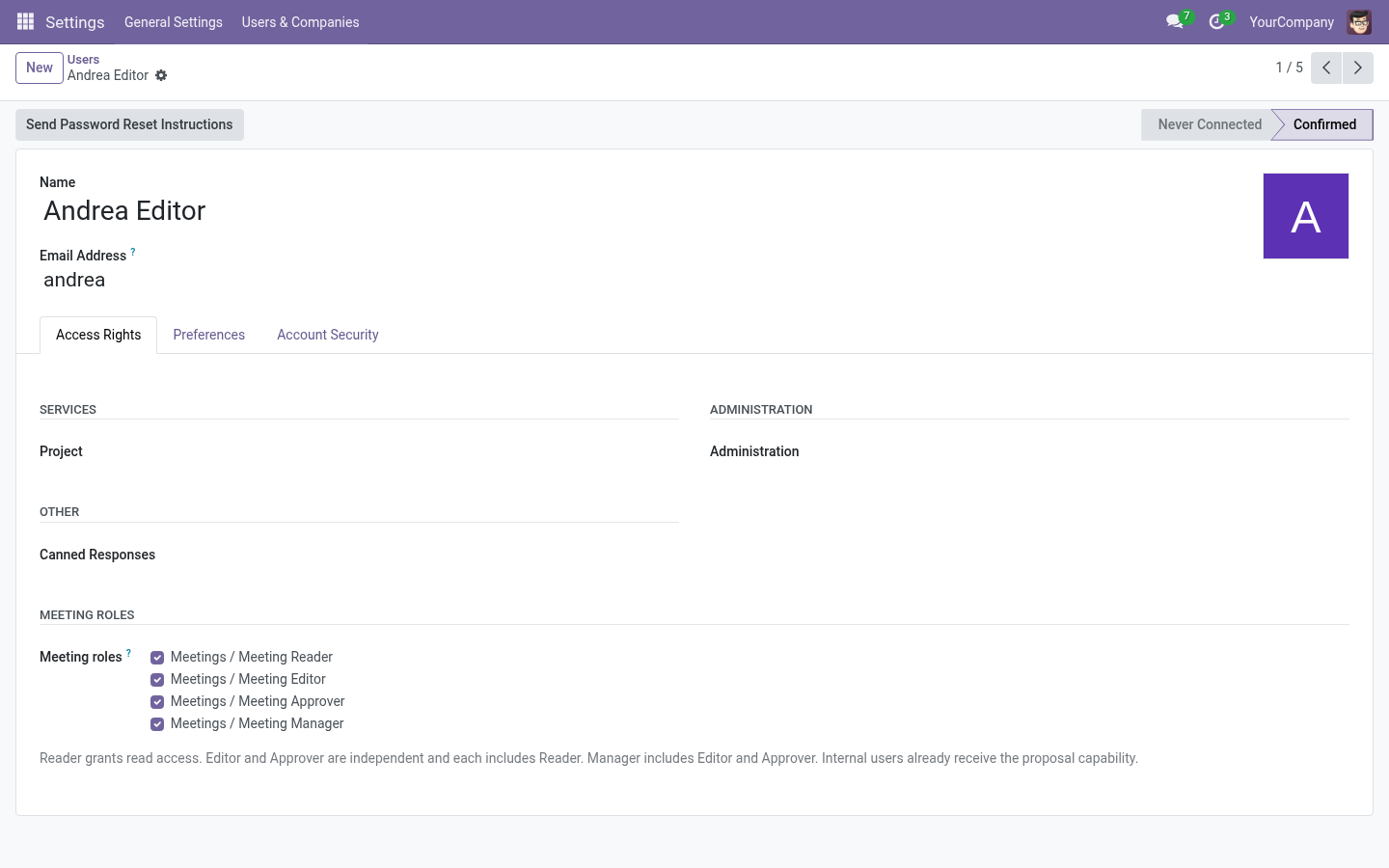
The roles
| Role | What they can do |
|---|---|
| Proposer | Suggest new agenda points for a series (via Propose a point). Every internal user has this by default. |
| Reader | See the meetings they are organizer, secretary, or explicitly assigned reader of: agenda, discussion, agreements, minutes and approved PDFs. |
| Editor | Everything a Reader does, plus: prepare meetings, add/reorder points, run the live meeting, record agreements/dissents/follow-ups, postpone points, manage editorial notes, write minutes, request carryovers, manage series. |
| Approver | Everything a Reader does, plus: approve minutes (and start amendments on approved meetings). Independent from Editor. |
| Manager | Editor + Approver, plus: assign per-meeting readers/editors, change a meeting’s organizer, full configuration (catalogs, settings). |
Note: Editor and Approver are independent: an approver who is not an editor can approve minutes but cannot modify the agenda. A manager includes both.
Who sees a meeting
A meeting is visible to:
- its organizer (coordinator),
- its minutes secretary,
- the readers and editors explicitly assigned on the meeting’s Access tab,
- any manager of the company.
Being listed as an attendee contact does not grant access — attendees are contacts, not necessarily users. Grant user access on the Access tab.
Restricted content
Two kinds of records are extra-restricted:
- Editorial notes — visible only to editors of the meeting. Never shown to readers and never included in approved minutes.
- Dissents — editors manage them; readers only see those flagged include in minutes.
Who can add points to a meeting?
Configured per company and per series (see Adding points). Depending on the policy, adding points stops when the meeting leaves draft, when it starts, or when it finishes. The Add Point button simply disappears when not allowed.
Proposals
Any internal user can propose points unless the manager restricts proposal to specific groups (see Authorized proposer groups).
Quick reference matrix
| Action | Reader | Editor | Approver | Manager |
|---|---|---|---|---|
| See assigned meetings & minutes | ✔ | ✔ | ✔ | ✔ |
| Download approved PDF | ✔ | ✔ | ✔ | ✔ |
| Propose a point | ✔¹ | ✔ | ✔ | ✔ |
| Add points to an agenda | ✔ | ✔ | ||
| Run the live meeting | ✔ | ✔ | ||
| Record dissents / editorial notes | ✔ | ✔ | ||
| Write minutes | ✔ | ✔ | ||
| Approve minutes | ✔ | ✔ | ||
| Assign per-meeting readers/editors | ✔² | ✔ | ||
| Configure series, kinds, settings | ✔ |
¹ Or restricted to specific groups by configuration.
² Editors only on meetings they organize; managers on any meeting.