General configuration (manager)
Everything in this page requires the Manager role and Odoo Settings access. Location: Settings → Meetings (scroll inside the settings page).
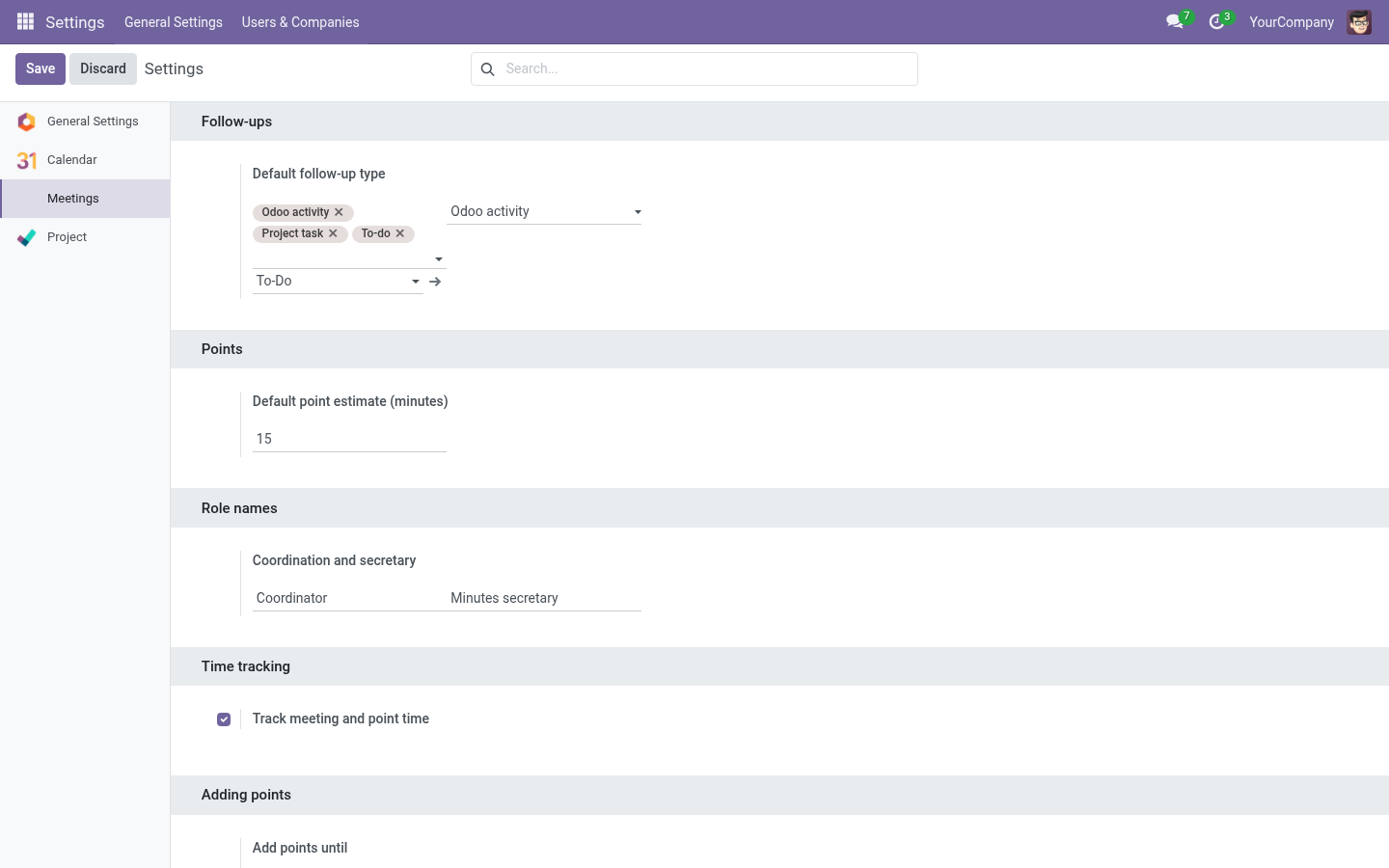
The settings page has five blocks. All values are company defaults: any series can override the point-level ones (see Series).
Point estimate
| Setting | Meaning |
|---|---|
| Default point estimate (minutes) | Minutes pre-filled for new points that don’t specify a duration. Used by the point wizard for standalone meetings and, through the series, everywhere else. |
How resolution works: a point’s estimate is the value typed by the user, else the series default, else this company default.
Role names
| Setting | Meaning |
|---|---|
| Coordination role name | Label shown for the organizer role (e.g. “Organizer”, “Presidenta”). |
| Secretary role name | Label shown for the minutes secretary role (e.g. “Secretaria de actas”). |
These are cosmetic: they let each organization speak its own language on forms and reports.
Time tracking
| Setting | Meaning |
|---|---|
| Track meeting and point time (on/off) | When on (default): the live meeting shows Start / Pause / Resume meeting, points have Begin/Pause timers, discussion notes are only editable while their point timer runs, and actual durations are recorded. When off: no timers at all — the live meeting is editable from the start and you simply Finish the meeting when done. |
Tip: Turn time tracking off for organizations that find stopwatches stressful. The agenda workflow (agreements, dissents, follow-ups, minutes) works identically.
Adding points
| Setting | Meaning |
|---|---|
| Add points until | The last moment when new points can be added to a meeting: |
| Value | Points can be added… |
|---|---|
| Draft only | Only while the meeting is a draft. |
| Before it starts | In draft, and once scheduled — until it actually starts. |
| While it runs (default) | In draft, scheduled and while the meeting is in progress. |
After that the Add Point buttons disappear and the server rejects attempts. Series can override this per series (see Series → Policies).
Note: Points are never added to meetings whose minutes are already written (Held/Minutes draft/Approved) — record those as follow-ups or new proposals instead.
Follow-ups
| Setting | Meaning |
|---|---|
| Allowed follow-up types | Which execution mechanisms points may use (Odoo activity, native To-do…). |
| Default follow-up type | Pre-selected when creating a follow-up. |
| Default Odoo activity type | Activity type used when a follow-up is an Odoo activity. |
With the Project addon installed, a Project task policy block appears here too — see Project integration.
Where series fit
Every setting above that says “a series can override it” is edited on the series form, tab Policies — read Series configuration.