Minutes and approval (editor / approver)
The minutes are built from the live meeting work and formalized in two steps: prepare → approve.
1. Prepare the minutes (editor)
When the meeting is Held, press Prepare Minutes (live screen) or on the form. The meeting enters Minutes draft:
- The Meeting notes section (bottom of the live screen, or the Minutes tab on the form) becomes the focus. It is rich text, auto-saved.
- Discussion notes recorded per point stay on each point; the notes section is where the narrative acta lives.
- Editors can still add content, adjust agreements/dissents and fix follow-ups (with the adding-points policy limiting brand-new agenda points).
- Private editorial notes are excluded from minutes — use them for internal remarks and delete them before approval if desired.
Tip: The minutes-approval structural point of later meetings will list this acta until it is approved — approve promptly to keep the queue clean.
2. Approve (approver)
An Approver presses Approve Minutes (live screen or form header).
Approval:
- freezes the meeting into Approved state;
- creates an immutable revision with a content snapshot (SHA-256) and a rendered PDF;
- marks the acta as approved for the minutes-approval points of later meetings in the series;
- makes the meeting read-only for everyone.
Approved revisions and amendments
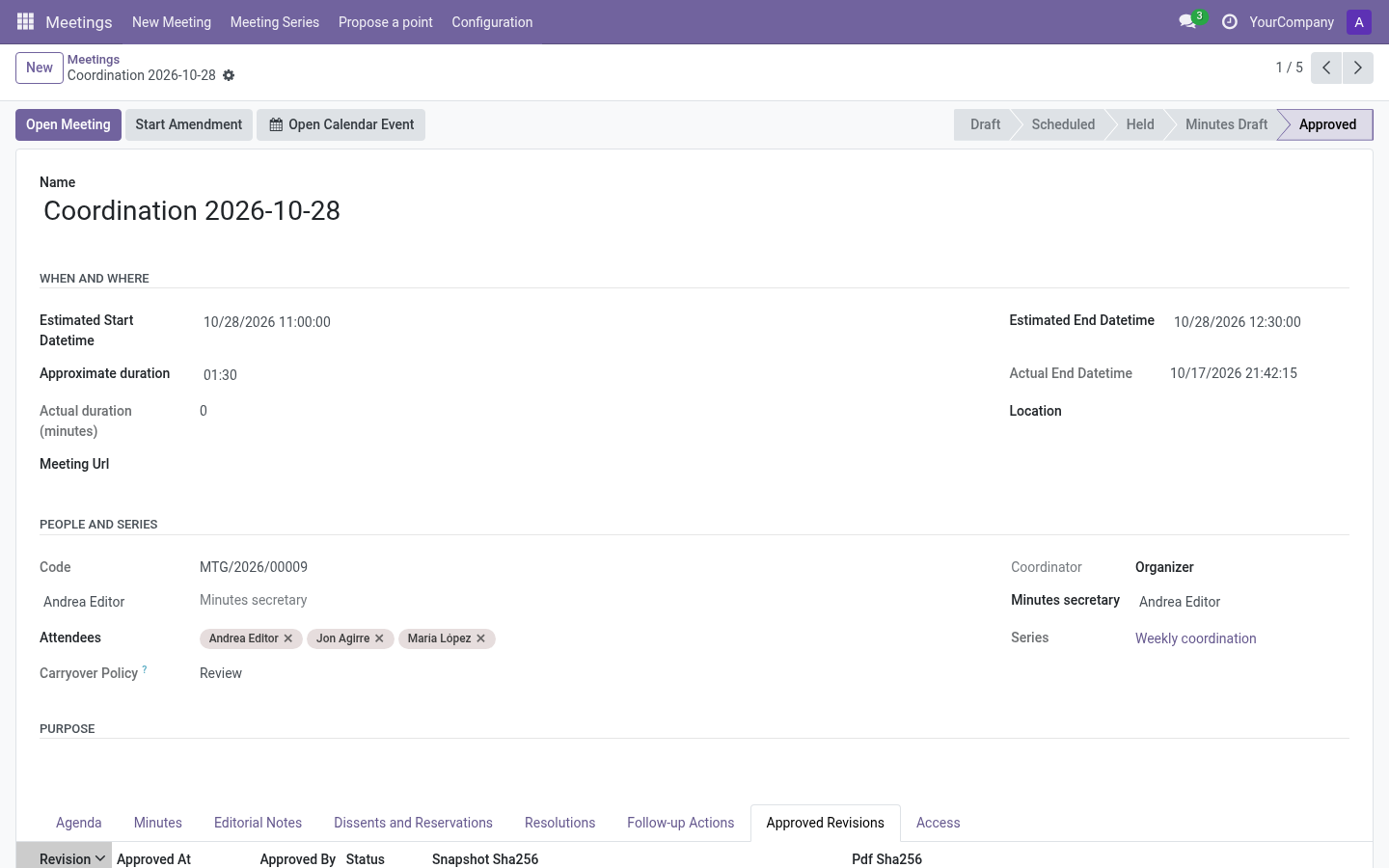
The Approved Revisions tab lists each revision: number, approval date, approver, status and a PDF button.
After approval, changing content is intentionally blocked. If something must be corrected, an approver presses Start Amendment: the meeting reopens for editing under a new revision; the previous revision and its PDF remain untouched in history.
Dissents and the minutes
Dissents flagged include in minutes are part of the approved record; unflagged ones remain editorial-only. Review them with the editor before approving.
FAQs
Who signs? Whoever approves (recorded on the revision).
Can I re-approve after an amendment? Yes — the amendment is approved like the original, producing revision N+1.
Can a reader see an amended acta? Readers always see the latest approved content and can download each revision’s PDF from the meeting if they had access.